A day planner for ADHD brains
Dump it all.
Dewfly plans the day.
Say everything on your mind. Dewfly picks the few things that matter today and fits them around your calendar. You don’t sort, rank or schedule a thing.
Free. Runs in your browser. No Dewfly account.
The tester build may ask for a passcode.
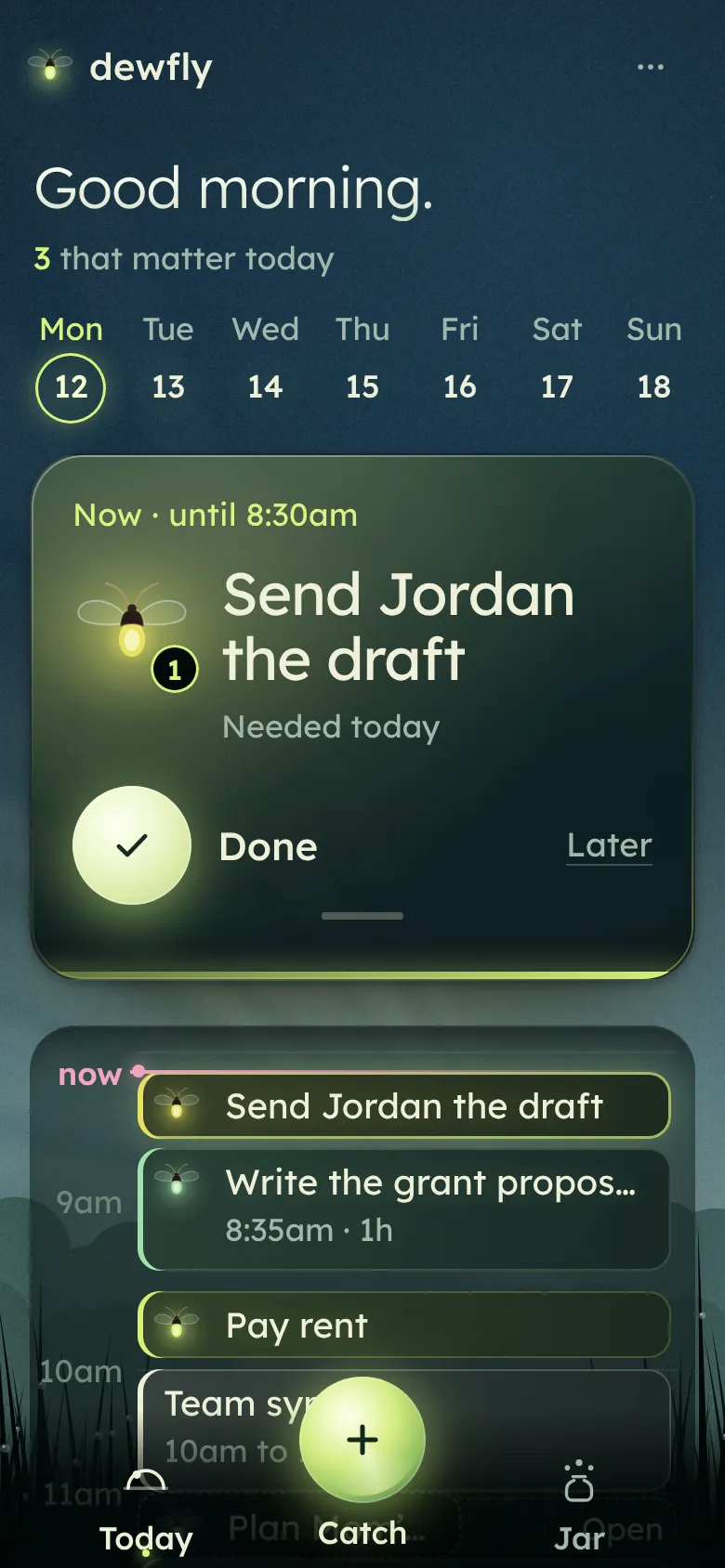
Read your day at a glance.
Every thought becomes a firefly. Its light tells you a little about it.
Warmth is how soon
Cool green can wait. Amber is due today.
Size is how long
A five-minute email is small. An afternoon of slides is big.
A slow pulse means it matters
Something with a real cost if it slips.
A little companion means someone is waiting
Another person is counting on this one.
How a day goes
You say what’s on your mind. Dewfly does the hard part: deciding what comes first and when.
Whenever it hits you
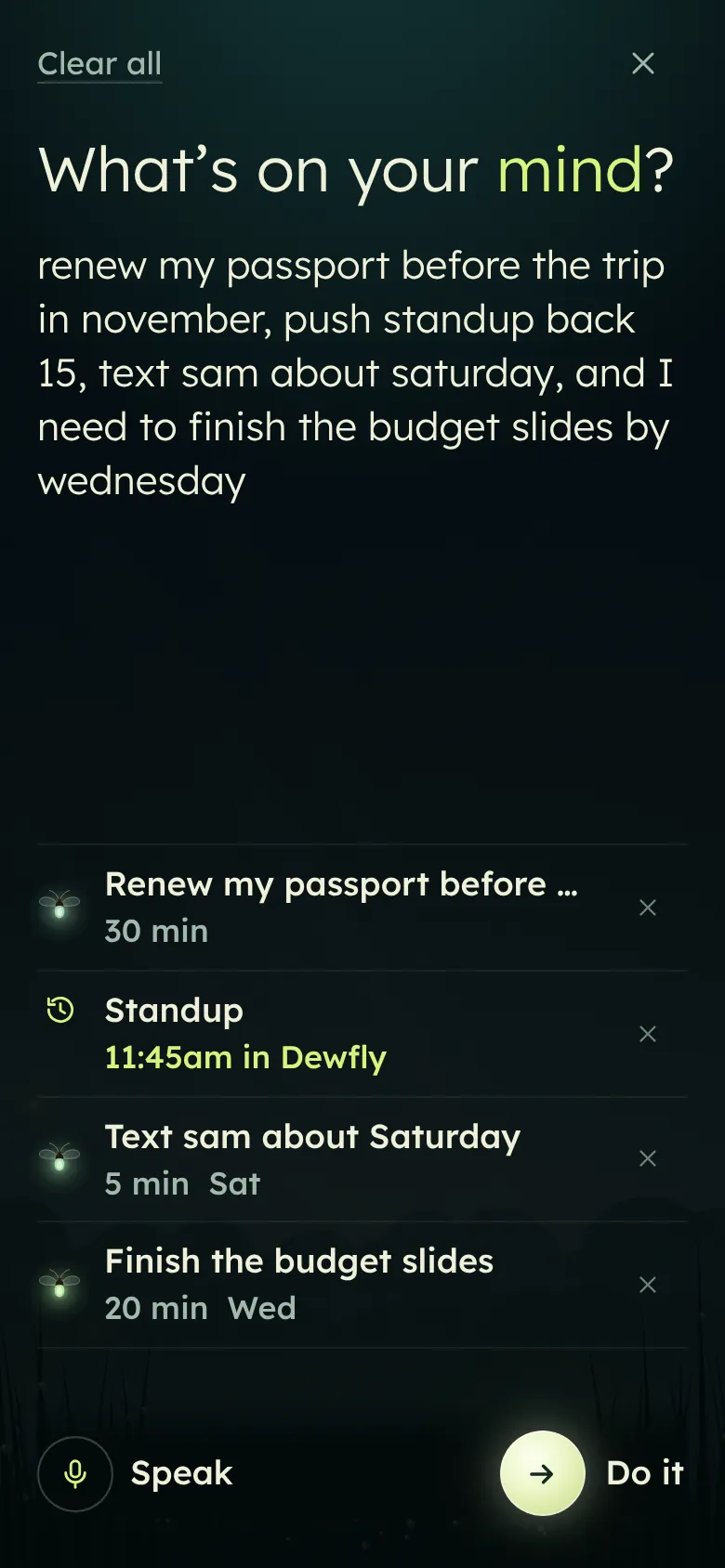
Say it all in one breath.
Hold Catch and talk, or type. Dewfly splits the ramble into separate things and guesses when each is due and how long it takes. Fix a guess with one tap, or leave it.
You say“renew my passport before the trip in november, push standup back 15, text sam about saturday, and I need to finish the budget slides by wednesday”
Morning
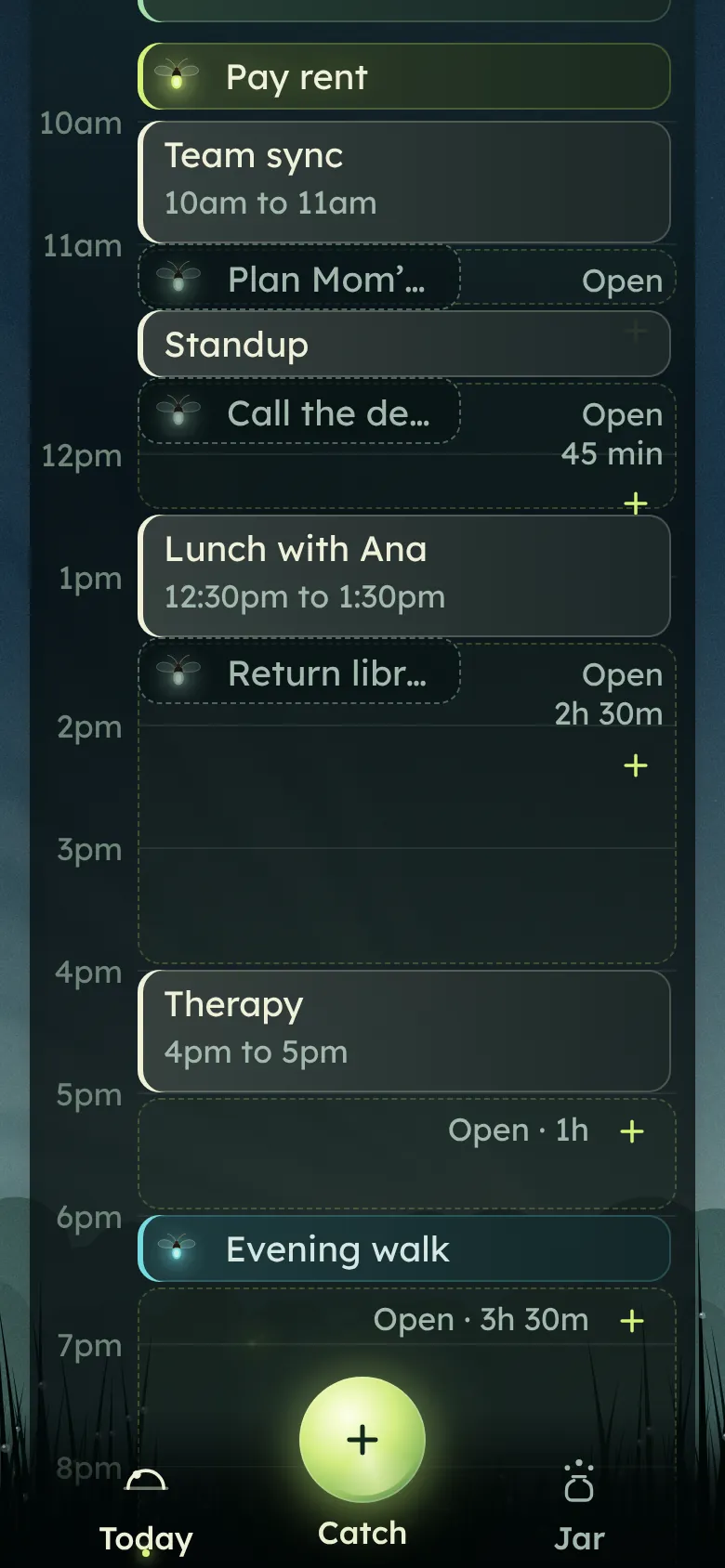
Your day, already planned.
Dewfly reads due dates, how long things take and who’s waiting, then picks what matters today. Usually three, more when something’s urgent and there’s room. It places them on a real calendar around your appointments, with a breath between things. Say “after team sync” or “before therapy” and that’s where it goes.
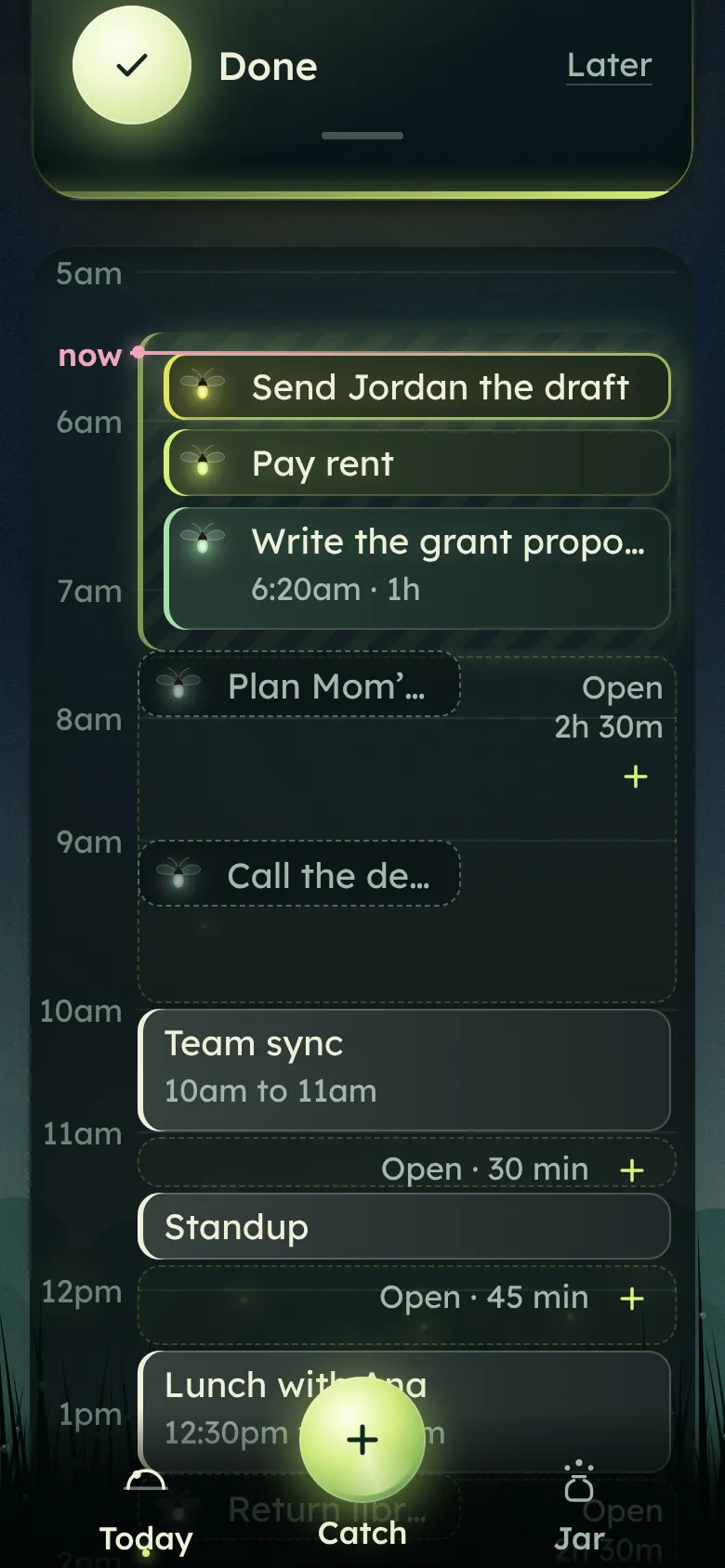
Before the world wakes up
Your best hours, kept for focus.
Say “deep work every day 5:30 to 7:30am” once. Dewfly fills that window with the thinking work, like the grant proposal, and keeps calls and chores out of it.
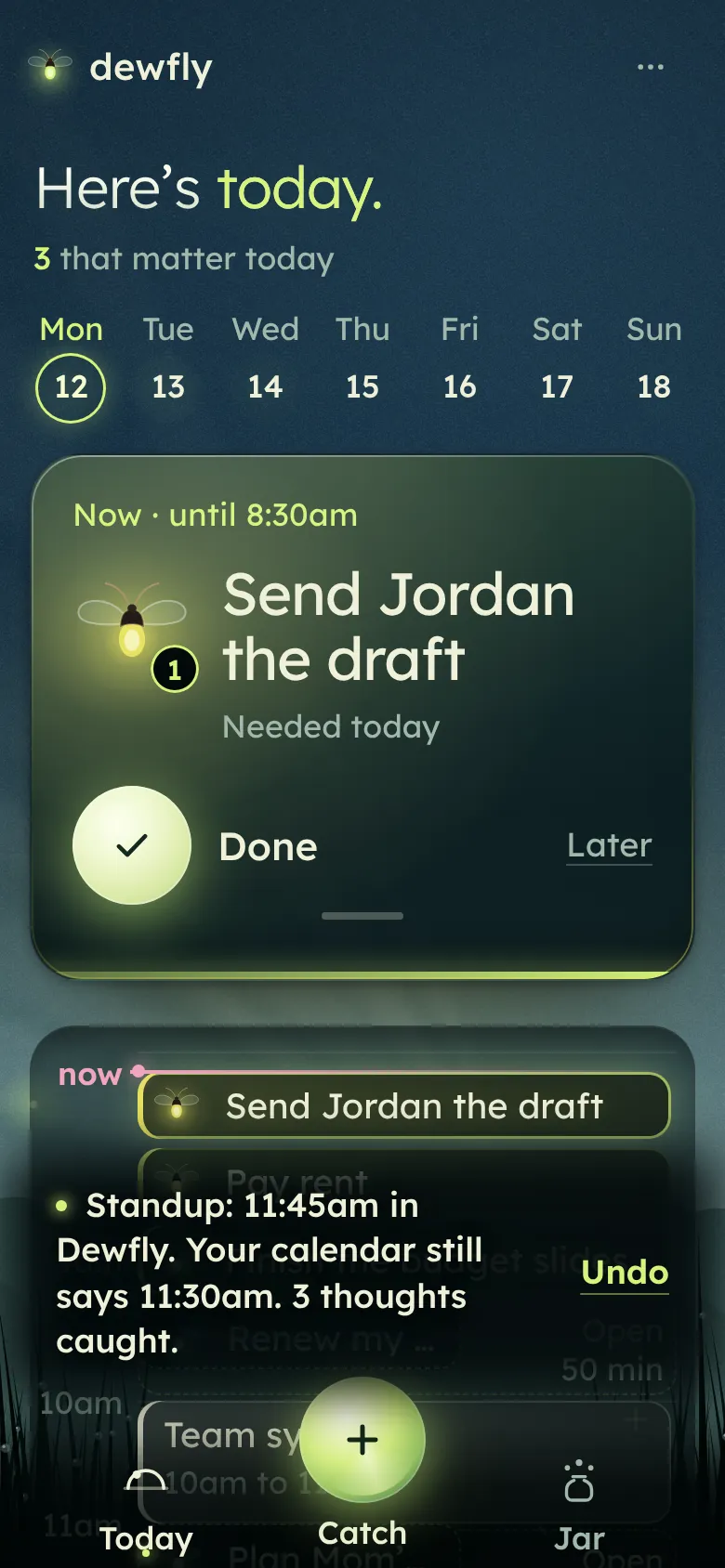
When the day shifts
Change it by saying it.
“Push standup back 15.” “Walk at 8:30, not 9:30.” Say it in Catch and the day moves around it. You can also drag a to-do or an appointment to a new time. One Undo puts it all back.
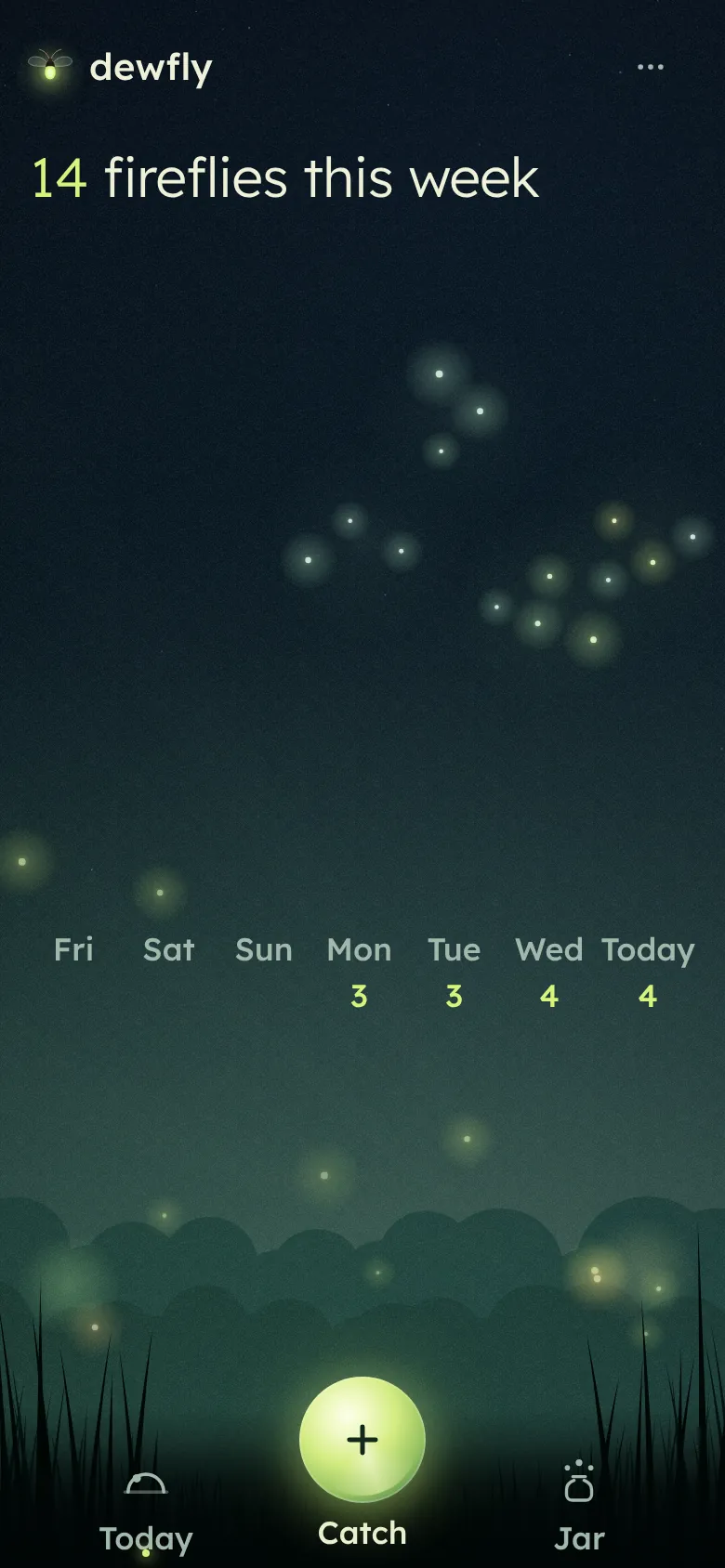
Evening
Done things light the meadow.
Each thing you finish flies out to a meadow that fills up through the week. There are no streaks to break and nothing says overdue. After time away, you start from today.
Made for brains that wander.
Every step is small, so starting is easy and the plan stays right.
Nothing to set up first
Start with one thought. Everything else can wait until it’s useful.
You never rank anything
Dewfly decides the order. You can always change it, but you never have to.
One tap, one drag, or a few words
Done, Later, drag it somewhere else, or just say what changed.
Rhythms, held too
Say “water the plants every Tuesday” and it gets its own place in your week.
Your calendar, in view
Paste a calendar link from Google or Outlook. Your appointments show on Today and Dewfly plans around them.
Forgiving
Undo is everywhere, and deleted things can come back.
Your thoughts stay yours.
Your tasks live in your browser, on your phone. Dewfly does its sorting there too. Save a backup before you change phones.
Voice uses your browser’s speech service. If you add a calendar link, Dewfly’s host reads that calendar for you. Your tasks are never sent.
Give your head a little room.
Dump one thought. Dewfly will find it a place in your day.
Open DewflyAdd Dewfly to your Home Screen from your browser’s Share or menu button. Public builds can save an offline copy. The passcode-protected tester build needs a connection to check access.